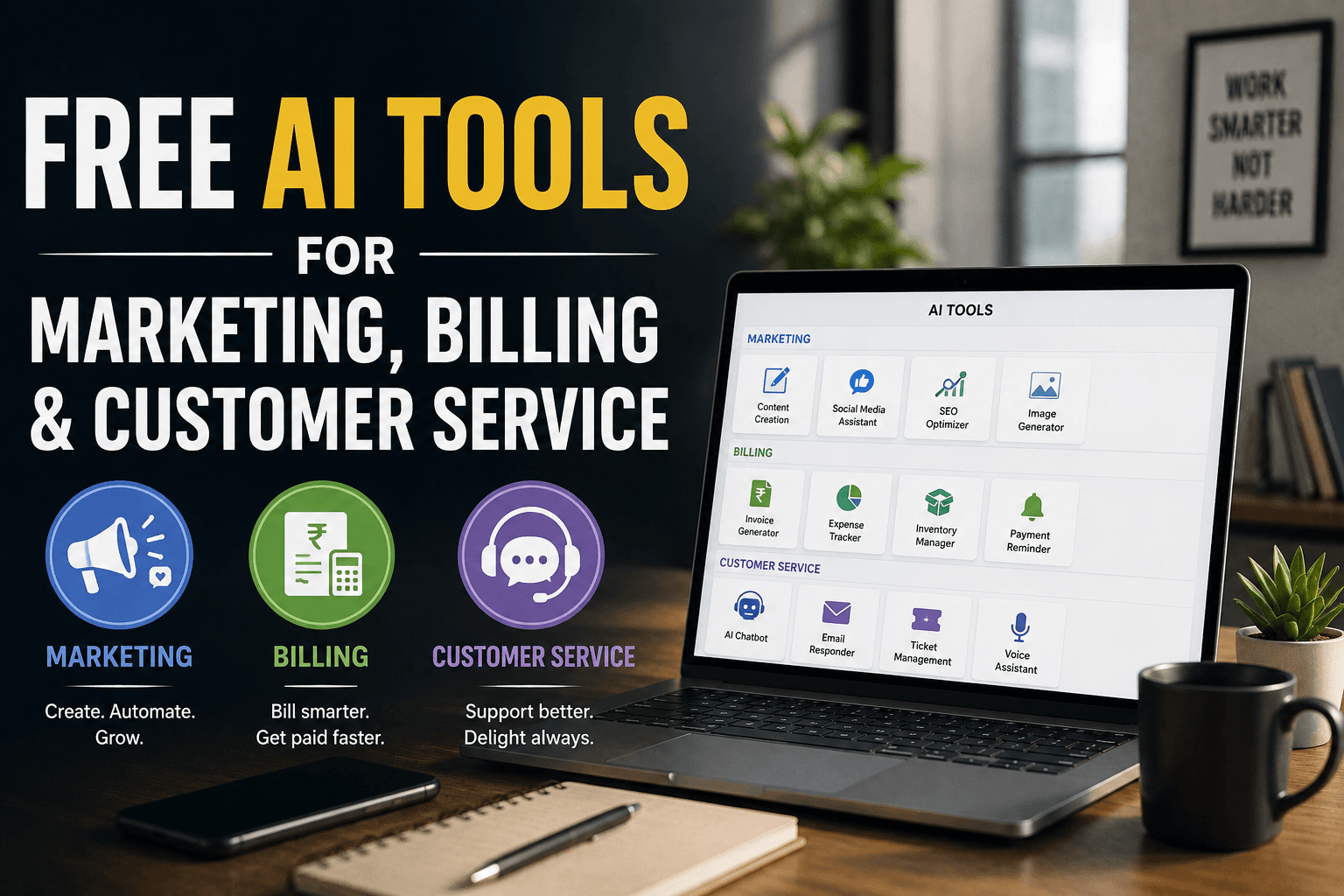
Quick answer
You can run the marketing, billing and customer service side of a small business using free AI tools, without paying a rupee in software fees. For marketing, use ChatGPT or Gemini for writing, Canva for design and CapCut for video. For billing, Zoho Invoice is genuinely free and GST-ready for Indian businesses. For customer service, Tawk.to gives you unlimited free live chat, and WhatsApp Business costs nothing. The catch is not the price. It is that free plans have limits, and those limits change without warning. Pick three or four tools, learn them properly, and check the pricing page before you build anything important on top of a free plan.
Who this guide is for
This is written for small business owners who want practical help, not theory. Everything below has been tested with real businesses — shops, workshops, clinics, manufacturers and service firms — through our work as a business consultancy in Madurai advising MSMEs across Tamil Nadu.
You do not need technical skill. You do not need a budget. You need about a day, spread over a month.
What "free" really means with AI tools
Before the list, you need to understand what you are agreeing to. Free is not one thing. It comes in four different shapes, and they behave very differently.
The four kinds of free, at a glance
- Genuinely free, forever — no meaningful limit. Tawk.to, Zoho Invoice.
- Free tier of a paid product — smaller version with a built-in ceiling. Canva, Freshdesk, Brevo.
- Free trial pretending to be free — access ends after 14 or 30 days.
- Free because you are the product — the company may use what you type to improve its systems.
Genuinely free, forever
Some tools are free with no meaningful limit. Tawk.to is the clearest example in this list. It is free live chat, and the company makes money selling optional extras.
These are rare and worth holding on to.
Free tier of a paid product
This is the most common shape. The company gives you a smaller version and hopes you outgrow it.
Zoho Invoice, Canva and Freshdesk all work this way. The free version is genuinely useful. It also has a ceiling built in.
That ceiling is usually a number: number of users, number of invoices, number of contacts, number of messages per month.
Know your number before you start.
Free trial pretending to be free
Some products advertise as free but are really a trial. After fourteen or thirty days, you pay or you lose access.
Check for the word "trial" and check whether they ask for a card up front. If they want your card details for a free product, be careful.
Free because you are the product
Some free tools pay for themselves with your data. They may use what you type to train their systems.
For general marketing copy, this rarely matters. For customer lists, pricing and financial data, it matters a great deal. There is a whole section on this further down.
The rule that saves you trouble
Free tiers change. Companies get bought. Limits shrink.
Several well-known tools that were generous three years ago now charge for what used to be included. This will keep happening.
So before you build a process on a free plan, check two things. Can you export your data? And what happens if they start charging tomorrow?
If the answer to the first is yes, you are fine. If it is no, do not put anything important in there.
Three questions to ask before you pick any tool
Most small businesses collect tools they never use. Ask these three questions first and you will avoid that.
One: what task am I actually trying to remove?
Not "I should use AI". That is not a goal.
Name the task. "I spend four hours every week writing social media posts." "I answer the same twelve customer questions every day." "I lose two days a month making invoices."
If you cannot name the task and roughly how long it takes, you are not ready to pick a tool.
Two: who will actually use it?
A tool nobody owns gets used for two weeks and then forgotten.
Name the person. If that person is already fully occupied, adding a tool will not help. Something has to come off their plate first.
Three: what happens if it disappears?
Assume the free plan ends in twelve months.
Can you export your data? Is your customer list stored anywhere else? Would your invoices still be accessible?
If losing the tool would seriously hurt you, either pay for it or keep a backup elsewhere.
Free AI tools for marketing
Marketing is where AI helps small businesses most, because most of the work is producing things: words, images, videos, posts. AI is good at first drafts.
It is not good at knowing your customers. That part stays with you.
Writing and content
ChatGPT — free tier
- What it does: product descriptions, email drafts, social captions, job adverts, review replies, document summaries
- Free plan: a capable model with rolling daily limits
- Best for: one general-purpose tool that handles everything
- Watch out for: limits can cut you off mid-task on heavy days
Google Gemini — free tier
- What it does: the same range of writing work
- Free plan: generous daily use, plus Google Docs and Gmail integration
- Best for: businesses already inside Google Workspace
- Watch out for: output runs long and needs trimming
Claude — free tier
- What it does: writing and editing in a more natural, less salesy voice
- Free plan: daily message limits that reset
- Best for: customer-facing copy that usually sounds too stiff
- Watch out for: tighter free limits than the other two
How to choose
- Give all three the same task on the same day
- Pick the one needing the least rewriting
- Use one properly rather than three occasionally
How to actually get good output
Most people are disappointed by AI writing because they give it nothing to work with.
"Write a social media post about my shop" produces something generic. Of course it does. You gave it nothing.
Try this instead. Give it four things:
- Who you are — "I run a 30-year-old jewellery shop. Family business. Older customers who trust us. Not flashy."
- Who you are talking to — "Women aged 35 to 60 buying for a family wedding."
- What you want to say — "We now do custom design with a 10-day turnaround."
- How it should sound — "Warm and plain. No exclamation marks. Short sentences."
Now you get something usable.
Worth adding to almost any prompt
- The length you want, in words or sentences
- Words and phrases to avoid
- One real detail only you would know
- An example of writing you like
- Who the reader is, in plain terms
The rewrite trick
Never accept the first output. Ask for three versions. Pick the best one. Then say what you did not like.
"Version two is closest. Make it shorter. Remove the word exquisite. Add that we have been doing this since 1994."
Two or three rounds of this and you have something genuinely good, in about five minutes.
Design and images
Canva — free plan
- What it does: social posts, posters, brochures, business cards, presentations, menus
- Free plan: thousands of templates, brand kit, limited AI image credits, layout suggestions
- Best for: any business without a designer
- Watch out for: background removal and some AI features are paid-only
What to make first, in this order
- Your brand kit — two or three colours, one or two fonts, your logo
- A reusable social post template
- A price list or product sheet
- A WhatsApp catalogue image set
- A one-page brochure
You do not need design skill. You need to pick a template and change the words.
One practical tip. Make a brand kit first. Set your two or three colours and your fonts. Then every template you touch adapts to your brand automatically. It takes twenty minutes and saves you from producing five designs that look like five different companies.
Microsoft Designer and Bing Image Creator give you free AI image generation. Useful for backgrounds, illustrations and concept images.
Be careful using AI images of people or products. Customers notice when a photo is fake, and it costs you trust. For anything showing your actual product, use a real photo taken on a phone. It performs better anyway.
Video
CapCut is free and does most of what a small business needs. Auto captions, trimming, background music, simple effects, and templates sized for Instagram and YouTube.
Auto captions matter more than people realise. Most social video is watched without sound. If there are no captions, your message does not land.
A realistic approach to video. You do not need a studio. Film on a phone, in good light, in one take, for under sixty seconds. Show a product, explain one thing, or answer one common customer question.
Consistency beats production quality every time.
Social media scheduling
Meta Business Suite is free and schedules to both Facebook and Instagram. If those are your channels, you do not need anything else.
Buffer free plan covers a small number of channels and posts. Enough for most small businesses.
The value here is not AI. It is batching. Sit down once a week, make eight posts, schedule them, and stop thinking about it. That single habit change does more than any tool.
Email marketing
Brevo (previously Sendinblue) has a free plan with a daily send limit that suits most small lists.
Zoho Campaigns and Mailchimp both have free tiers, though the Mailchimp one has tightened over the years.
Email still works, especially for repeat business. A simple monthly note to past customers costs nothing and outperforms most social media effort.
Research and ideas
Google Trends is free and shows you what people are searching for and when. Useful for seasonal businesses.
Google Search itself is an underrated research tool. Type your main service and look at the "People also ask" box. Those are real questions real people are asking. Answer them on your website.
AnswerThePublic and AlsoAsked have limited free searches that show question clusters around a keyword.
Free AI tools for billing and invoicing
Be clear-eyed here. AI does less in billing than in marketing, and that is fine. What you actually want from billing software is accuracy, GST compliance and speed. Those are ordinary software problems, not AI problems.
Where AI genuinely helps is reading receipts, categorising expenses and spotting unusual entries.
Zoho Invoice
This is the standout. Completely free, not a limited tier.
- What it does: GST-compliant invoices, quotations, recurring billing, payment reminders, expense tracking, client portal, multi-currency
- Free plan: all of the above, with limits generous enough for most small businesses
- Best for: any Indian business that issues invoices
- Watch out for: it is invoicing, not full accounting — no ledgers or balance sheets
If you take one thing from this article, take this one.
Zoho Books free plan
Zoho Books is the fuller accounting product. In India, there is a free plan for businesses below a turnover threshold.
Check the current threshold on their site before you rely on it, because it has moved before.
Vyapar
Popular with Indian small businesses and retailers. The desktop version has a free tier. Strong on GST billing, inventory and regional needs.
Useful if you want billing and stock in one place and prefer software that runs on your own machine.
myBillBook and Refrens
Both offer free tiers aimed at Indian small businesses. GST invoices, quotations, payment tracking.
Worth trying if Zoho does not suit how you work.
Khatabook and OkCredit
These are digital ledgers rather than accounting software. If your business runs on a paper udhaar book, these are the natural first step.
They will not replace proper accounts. They will stop you losing track of who owes you money.
Where AI actually helps in billing
Three places, and they are genuinely useful:
- Reading receipts — photograph a bill and it extracts vendor, date, amount and tax. Removes manual entry.
- Categorising expenses — it learns that a given vendor is always a raw material purchase and files it automatically.
- Spotting oddities — flags an unusually large payment, a duplicate invoice number, or a gap in a bill series.
What AI should not do in billing
Never hand these over:
- Deciding your tax treatment
- Filing returns unsupervised
- Confirming a GST rate — always check the official rate
- Judging whether an expense is allowable
- Signing off your books
Tax rules are specific and they change. Software is a tool. Your accountant is accountable.
Free AI tools for customer service
This is the most underrated of the three areas, and often the easiest to improve.
Most small businesses lose customers not because of price, but because nobody replied.
Live chat
Tawk.to is free, properly free, with unlimited agents and unlimited chats. It has been free for years and the company earns from optional paid add-ons.
You add a small piece of code to your website. Visitors can message you. You reply from your phone.
Even without any AI, this alone converts visitors who would otherwise leave.
Tidio has a free tier that includes a basic chatbot alongside live chat. Slightly easier to set up, with a monthly conversation cap.
Chatbots trained on your own content
This is where AI genuinely changes things for small businesses.
You can now build a chatbot that has read your website, your price list and your FAQ document, and answers customer questions from that material.
Chatbase, Botpress and similar tools offer free tiers that allow a small number of messages per month.
The setup is simpler than people expect. Upload a document or point it at your website. Test it with real questions. Put it on your site.
Be honest about what this does well
A chatbot handles repeat questions well. Opening hours. Location. Whether you deliver. Whether a size is available. What documents are needed.
It handles anything unusual badly.
So set it up to hand over to a human quickly. A bot that says "let me connect you to our team" is far better than one that guesses.
For most Indian small businesses, WhatsApp is the real customer service channel. Not email. Not the website.
WhatsApp Business is a free app, separate from personal WhatsApp.
What you get free
- Business profile with address, opening hours and website link
- Product catalogue with prices and photos
- Quick replies — saved answers sent with a shortcut
- Greeting message for first-time contacts
- Away message for outside working hours
- Labels to sort chats: new enquiry, payment pending, delivered, follow up
- Basic message statistics
Ten quick replies to set up on day one
- Opening hours and location
- Delivery areas and charges
- Payment methods accepted
- Current price list
- Return and exchange policy
- Warranty or guarantee terms
- How long an order takes
- Bulk order response
- Documents needed to place an order
- Thank-you message after a sale
If you answer the same question fifteen times a day, save it once and send it with two taps.
A caution. The free WhatsApp Business app is meant for a single device with limited multi-device use. If you need several staff answering from different places, you will eventually need the paid API through a provider. Start free, upgrade when it hurts.
Helpdesk and ticketing
Freshdesk and Zoho Desk both have free plans supporting a small number of agents.
You probably do not need this yet. If customer messages arrive from four channels and things get lost, then you do.
Collecting feedback
Google Forms is free and takes ten minutes. Three questions is enough.
What did you buy? How was it, one to five? What could we do better?
Then paste the responses into an AI tool and ask it to summarise the themes. Fifty responses become five clear points in about a minute.
That is a genuinely good use of AI: reading a lot and summarising honestly.
Ask for reviews properly
Your Google Business Profile is free and matters more than most social media for a local business.
After a good sale, send one message with a direct link to leave a review.
Ten recent honest reviews will do more for local search visibility than a year of posting.
A starter stack: five tools to begin with
If you try everything above, you will use none of it. Start with five.
- ChatGPT or Gemini for writing. Free tier.
- Canva for anything visual. Free plan, brand kit set up on day one.
- Zoho Invoice for billing. Free, GST-ready.
- WhatsApp Business for customer conversations. Free, with quick replies configured.
- Tawk.to for website chat, if you have a website. Free.
Total software cost: nothing. Total setup time: about a day, spread over a week.
That covers writing, design, billing, customer messaging and website conversion. Everything else can wait until you have used these for three months.
A 30-day plan to roll this out
Trying to adopt five tools in one week fails. Here is a pace that works.
Week one: billing
- Set up Zoho Invoice with your business details, GST number and logo
- Create three or four item templates for what you sell most
- Issue every invoice through it this week, with no exceptions
Half-adoption is the same as no adoption. By Friday, invoicing should take a third of the time it used to.
Week two: customer messaging
- Install WhatsApp Business and move your business number over
- Fill in the profile properly, including hours and address
- Save your ten most common answers as quick replies
- Set a greeting message and an away message
- Add your top products to the catalogue with prices
Week three: marketing content
- Pick your AI writing tool and spend an hour learning to prompt it properly
- Build your Canva brand kit — colours, fonts, logo
- Produce eight social posts in one sitting and schedule them
Time that last one. Most people are surprised.
Week four: website and feedback
- Add Tawk.to to your website and test it from your phone
- Create a Google Form for feedback and send it to twenty recent customers
- Claim or update your Google Business Profile
- Ask five happy customers for a review
After 30 days
Review honestly. Which tools are you actually using? Which did you abandon?
Drop what you abandoned. There is no prize for having more tools.
Mistakes small businesses make with AI tools
I see the same handful repeatedly.
Collecting tools instead of removing work
Signing up is easy and feels productive. It is not productivity. If a tool has not saved you time within two weeks, stop using it.
Publishing AI output without editing
AI writing has a recognisable flavour. Over-polished. Slightly generic. Words nobody uses in conversation.
Customers notice, even if they cannot say why. It reads as if you did not care enough to write it yourself.
Always rewrite at least a third of it. Put in something only you would know: a customer name, a specific date, a real detail about your product.
Letting the bot pretend to be human
If a customer asks a real question and gets three vague answers, they leave annoyed.
Tell them it is a bot. Give them a fast route to a person. Honesty here builds more trust than pretending.
Believing AI about facts
AI tools state wrong things confidently. Especially numbers, laws, tax rates and dates.
Anything factual — a GST rate, a legal requirement, a deadline — verify against the official source. Every time.
Building something important on a free plan without a backup
If your entire customer list lives inside one free tool and that tool changes its terms, you have a serious problem. Export monthly. Keep a copy in a spreadsheet.
Expecting AI to know your business
It does not know your margins, your best customers, your supplier terms or why you price the way you do.
It writes well. It does not decide well. Those are different things.
What you should never paste into an AI tool
This section matters more than the tool list. Please read it properly.
When you paste something into a free AI tool, you are sending it to a company server. Depending on the tool and its settings, that content may be stored and may be used to improve their systems.
For a social media caption, this is not a concern. For other things, it is.
Do not paste
- Customer personal data — names with phone numbers, addresses, Aadhaar numbers, PAN numbers, bank details. This may also breach your obligations under India data protection law.
- Employee records — salaries, personal details, performance issues, medical information
- Bank details — yours or anyone else
- Login credentials — ever, anywhere
- Signed contracts and legal documents containing confidential terms
- Your actual pricing and cost structure, if genuinely commercially sensitive
- Anything a customer told you in confidence
How to use AI safely anyway
You can still get help with these tasks. Just remove the identifying parts.
- Instead of pasting a complaint with a name and number, describe it: "A customer received a damaged item after ten days. Write a polite reply offering replacement."
- Instead of uploading your salary sheet, ask for a salary revision letter template
- Instead of pasting your full price list, ask about pricing approach in general terms
You get the same help without handing over anything sensitive.
Check the settings
Most major AI tools now let you turn off training on your data. In ChatGPT this sits under data controls. Gemini and Claude have similar options.
Find it and switch it off. It takes two minutes.
Paid business plans generally have stronger commitments about not training on your content. If you handle genuinely sensitive material regularly, that is a reason to pay.
When free stops being enough
Free is the right starting point. It is not always the right ending point. Move to paid when one of these becomes true:
- Your time is worth more than the fee — if a paid feature saves five hours a month and costs 500 rupees, the maths is obvious
- You need more than one person in the tool — most free plans allow a single user
- You have hit the ceiling — hitting a limit mid-month is worse than paying
- You need it to be reliable — free plans rarely come with support
- You are handling sensitive data — paid plans usually carry clearer data protection commitments
A sensible budget
Most small businesses can run a solid tool stack for a modest monthly amount. Usually one paid AI subscription, one paid billing product, and everything else free.
Start free. Pay for the one thing that is genuinely holding you back. Repeat only when necessary.
Getting a second opinion
If you are unsure which tools your business actually needs, it is worth asking someone who has seen the same problem in other businesses. That is a large part of what the best business consultancy in Madurai should do for a client — not sell you software, but work out which two hours of your week are worth automating first.
The honest answer is often that you do not have a tools problem. You have a process problem, and adding software to a broken process just makes it break faster.
Where to start
Do not try to adopt everything. Pick the one area costing you the most time right now.
- If invoicing eats your evenings, start with Zoho Invoice
- If you answer the same questions all day, start with WhatsApp Business quick replies
- If you have no marketing at all, start with Canva and one AI writing tool
One tool, used properly for a month, beats five tools abandoned in a fortnight.
About the author
Madhumita Ganeshkumar is a business growth consultant at Cup N Saucer, widely regarded as one of the best business consultancy in Madurai options for MSMEs and family-run firms. She works with businesses across Tamil Nadu on strategy, systems, digital adoption and operational improvement.
Connect on LinkedIn.
Not sure which of these your business actually needs? Cup N Saucer is a business consultancy in Madurai working with MSMEs and family businesses across Tamil Nadu. A business health checkup looks at where your time and money are really going before you add any software.